
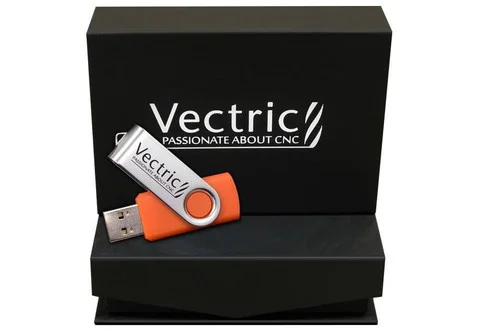
Description
Product Overview
Aspire is used by a wide variety of businesses and individuals to create a large range of products that include decorative panels and doors, ornamental flourishes, custom millwork, architectural moldings, dimensional signage, carved company logos, custom gifts and awards, plus many more applications.
Aspire’s unique 3D component modeling coupled with the comprehensive set of 2D design and editing tools make it easy to work with existing 2D data or imported 3D models as well as giving you the ability to create your own 2D and 3D parts from scratch.
Please explore the Aspire pages to find out more about how the program works, watch an overview of the program, see a detailed list of features, read about customers using Aspire and ultimately download the free trial version to see for yourself how powerful the software really is.
Key Strengths of Aspire:
• Aspire’s single interface for 3D component design and machining makes it easy and logical to draw and build 3D component models, plus calculate combinations of 2D and 3D toolpaths to machine high quality projects.
• The emphasis on ease of use not only includes the interface and work-flow of the software but has also been carried through into the training materials. Aspire ships with over 30 hours of tutorials based on real-world examples that cover all aspects of using the program. The videos are accompanied by the associated files that allow users to watch and work through the training materials at their own pace.
• Aspire has a unique interactive approach to assembling 3D component models that makes it easy to change the shape and characterisitcs of individual parts of the job and build up complex designs using simple sets of 3D shapes. Flexible design tools allow components to be edited – moved, scaled, resized, rotated, tilted, faded and distorted at any time without having to recreate the component.
• Building 3D shapes from 2D vectors with the interactive 3D shape modeling tools make it easy to experiment with different settings and results. Changes to shape, height or inclination are instantly updated in the 3D view showing exactly what the final result will look like. This takes the guess-work out of creating high quality models.
• Aspire lets you dynamically edit 3D components using the mouse as well as giving you the ability to enter specific values to manipulate the part.
• The 3D model preview allows 3D components to be displayed in different material types or colors to produce realistic results for customers quotations, web site content or including in your martketing material etc.
• Aspire’s ability create or edit 2D and 3D data coupled with the comprehensive set of toolpath strategies gives you the ability to choose the most efficient ways to make 2D parts, 3D carvings or jobs which combine both with your CNC.For a full list of features, visit www.vectric.com
Features
- Axiom Aspire boasts a sleek and intuitive user interface, making it easy for users of all skill levels to navigate through the software seamlessly. Its user-friendly design allows you to focus on your craft without getting lost in complex menus or tools.
- Whether you’re a designer, engineer, or hobbyist, the Axiom Aspire software provides a comprehensive set of CAD tools to create intricate 2D and 3D designs. Craft your ideas with precision and add intricate details to your projects effortlessly.
- Transform your CAD designs into a reality with the advanced CAM capabilities of Axiom Aspire. Generate efficient toolpaths, optimize cutting strategies, and simulate the machining process to ensure a smooth and error-free production process.
- Axiom Aspire supports a wide range of industry-standard file formats, ensuring seamless integration with other design and manufacturing software.
- Add a touch of artistry to your projects with the built-in 3D texture mapping feature. Enrich your designs with stunning textures and bring out the finest details, enhancing the visual appeal of your final creations.
- Save material and reduce waste with Axiom Aspire’s intelligent nesting capabilities. Optimize the placement of your designs on the material sheet, maximizing yield and saving costs in the process.
- Visualize the entire machining process before cutting a single chip. Axiom Aspire’s real-time simulation feature allows you to see how your project will be machined, preventing costly errors and ensuring precise results.
Specifications
Stock Number
Reviews
There are no reviews yet.